Never promise an urn you don't have.
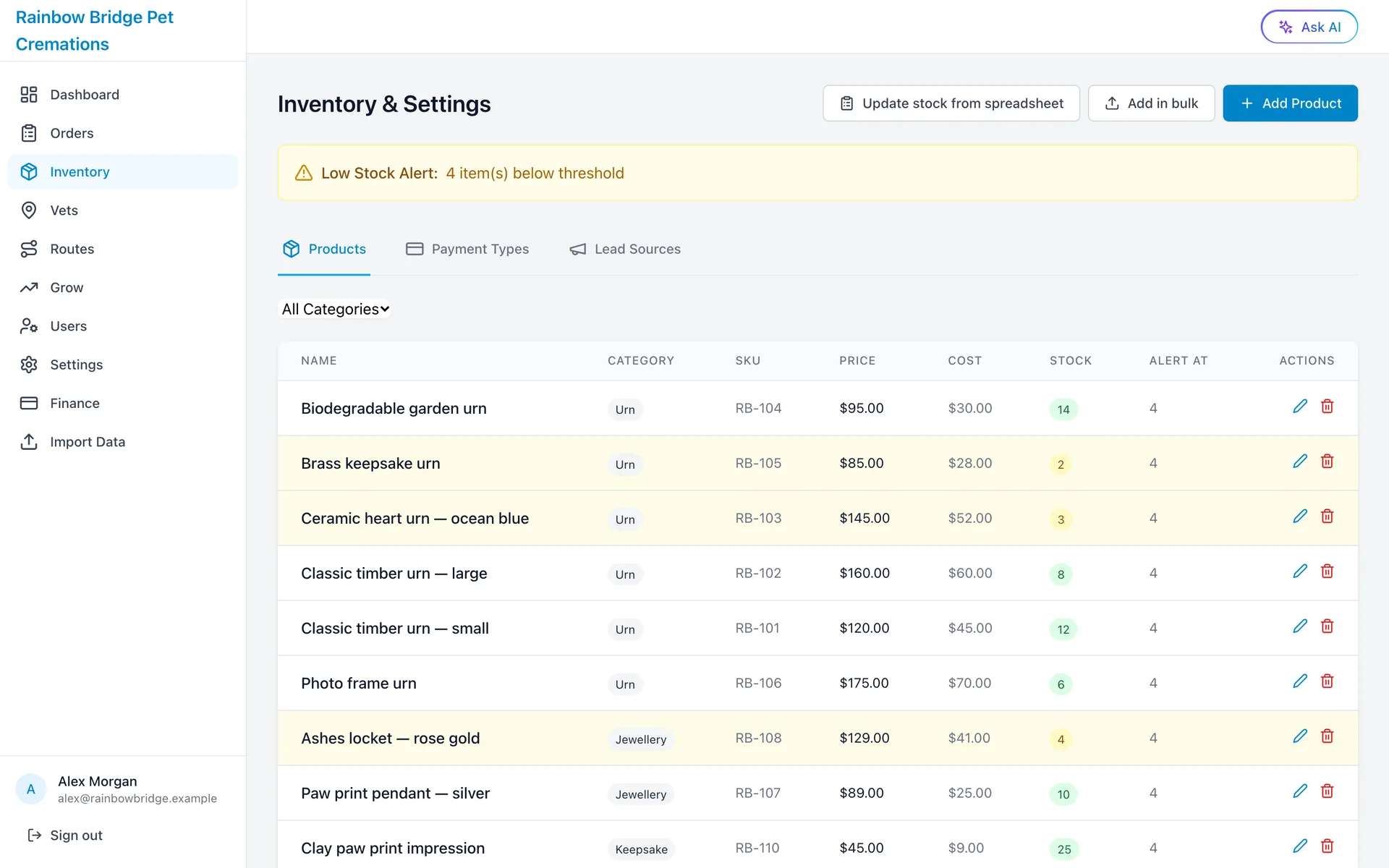
Products, prices and stock in one list with low-stock alerts — and stocktakes from a spreadsheet.
The problem
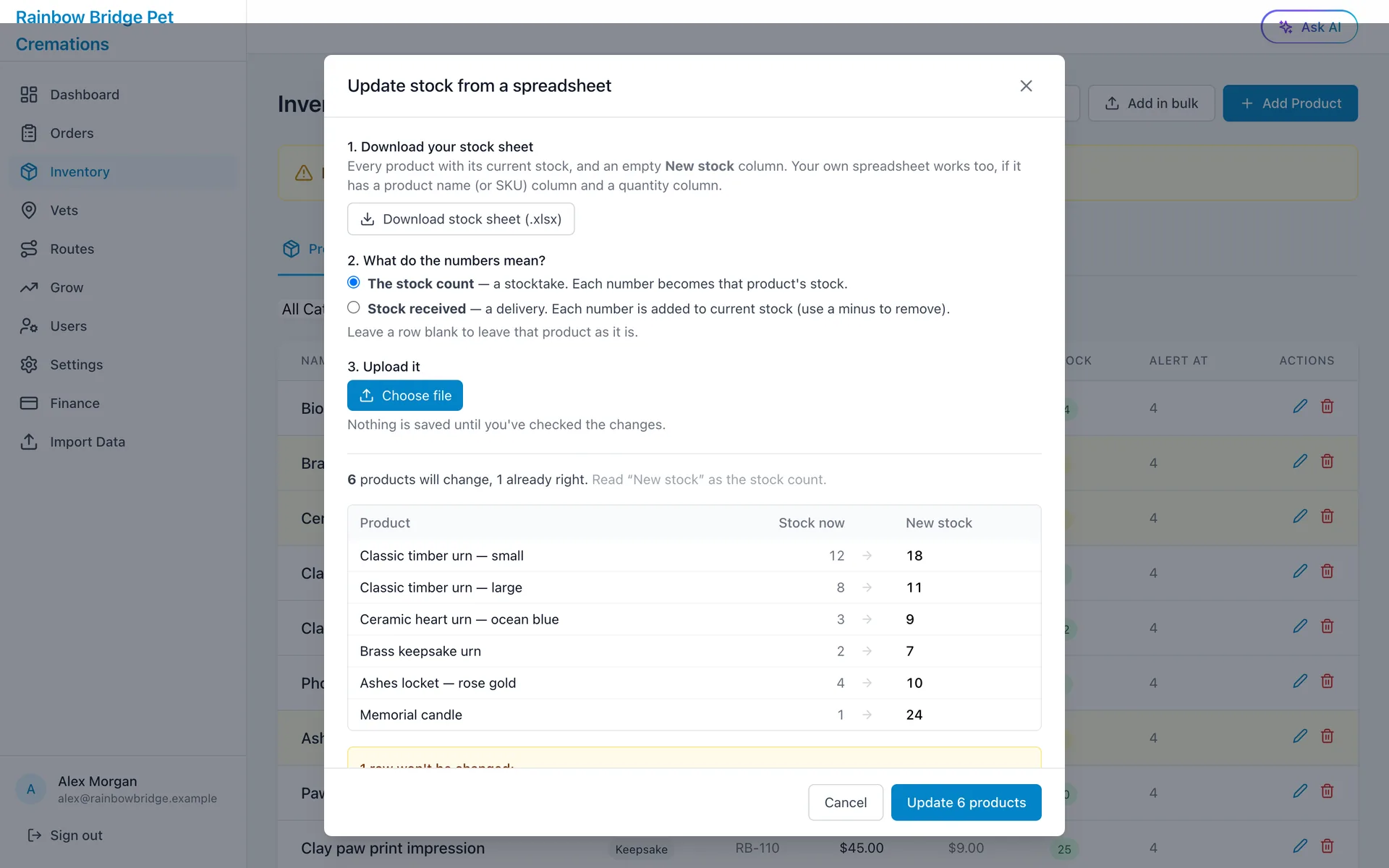
Stock lives in a spreadsheet nobody trusts. Families choose an urn that turns out to be out of stock, and stocktakes mean updating products one by one.
How it works
- 1
One product list
Urns, jewellery and keepsakes with prices, costs and stock. Adding a product to an order takes it out of stock.
- 2
Low-stock alerts
Products at or below your alert level are flagged, so you can reorder in time.
- 3
Stocktake from a spreadsheet
Download the stock sheet, fill in the counts, upload, check the changes and save.
- 4
Import from your website (Pro)
Point it at your online shop and AI reads your products and prices into a list for you to check. On Starter, add products by hand or from a spreadsheet.
What it means for your business
Stock you can trust when a family is choosing
Reorder before you run out, not after
A full stocktake in minutes
More of what's inside
Next: Up and running in an afternoonOrders, call to return
Every pet, every family, every step on one page — and everyone sees where each pet is up to.
Starter & ProAn assistant that knows your orders
Type it or just say it. Ask about your business, or add and change orders in plain English — you confirm before anything is saved.
ProMemorial certificates in minutes
Photo, pawprint and wording laid out on your own certificate paper. Drag to adjust, print, done.
See it with your own orders
30 days free. No credit card. Bring your spreadsheet.